New Screen for Rescheduling
A new appointment rescheduling screen has been implemented to improve user experience, visibility, and scheduling flexibility, including support for overbooking.
Points to be Noted for Rescheduling
1. When a user attempts to reschedule an appointment that has an active superbill, the system shall display a confirmation prompt: “An active Superbill exists for this appointment. Do you want to continue with the reschedule?” Upon user confirmation, the system reschedules the appointment and automatically updates the superbill’s date of service (DoS) to reflect the new appointment date. This ensures data consistency between appointments and their associated charges.
2. Only those appointments whose charges are in NEW and HOLD charges can be rescheduled. if the charge is in BILL_To_PT or BILL_To_PR status, the appointment cannot be rescheduled.
3. While rescheduling appointments with Void charges, same-day-reschedule does not change the void status, but rescheduling to another day will change the status to NEW.
How to Access
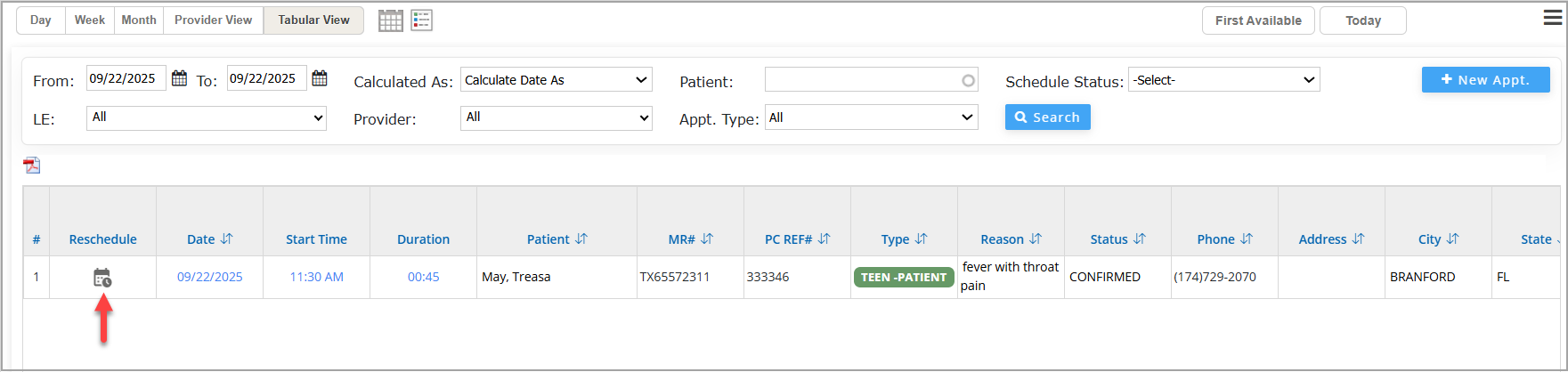
Option 1: Navigate to Scheduler → Tabular View, then click the Reschedule  button next to the appointment you wish to modify.
OR
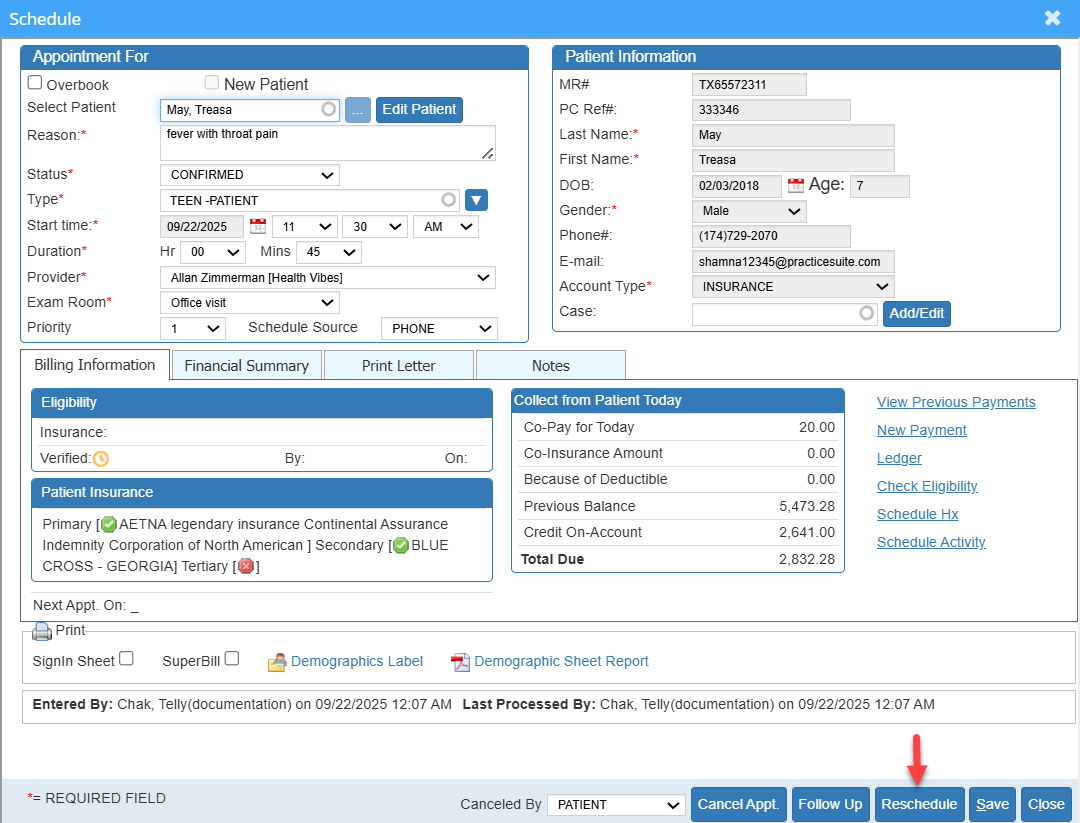
Option 2: Click on the appointment in the Calendar to open the appointment details screen. You can see the Reschedule button beside the Save and Close options.
Rescheduling Screen
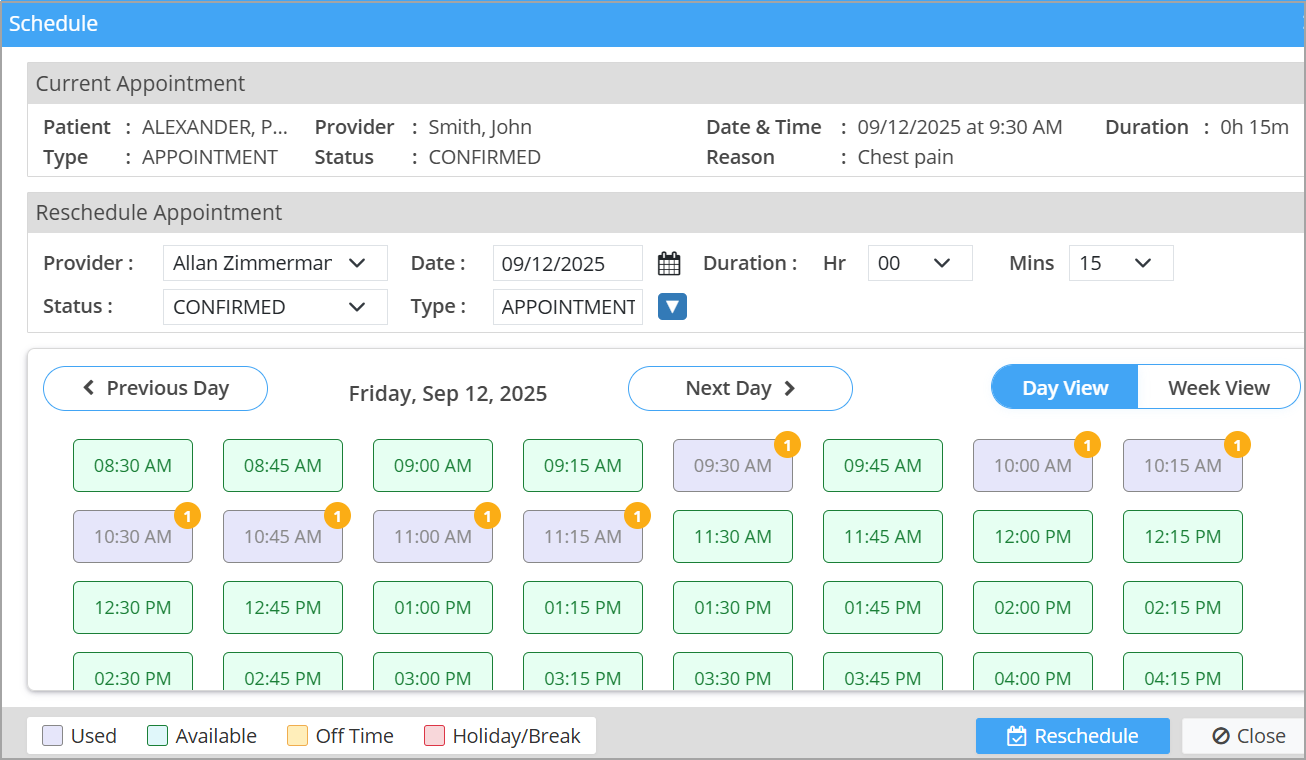
Rescheduling Screen – Feature Overview
Intuitive Workflow
- Users are presented with all current appointment details upfront.
- A color-coded tabular display allows easy selection of new time slots.
Color Code Legend
| Color | Meaning |
|---|---|
 |
Slot is open for booking. |
 |
Already booked appointment. |
 |
Non-working day |
 |
Outside working hours |
Overbooking Support
- The system permits overbooking when necessary.
- A clear warning is displayed if the selected slot results in an overbooked schedule, helping users make informed decisions.
Confirmation Step
- Before finalizing, users can compare current and new appointments side by side.
- This ensures clarity and prevents accidental changes.
Automated Updates
- Once confirmed, the new appointment is saved instantly.
- The updated schedule is reflected immediately across the system, ensuring real-time accuracy.