How to Add a Referral for a Patient
To add a referral source to a patient’s file, follow the steps below.
1. Click on Other Attributes from the patient demographics screen (highlighted in Image 1).
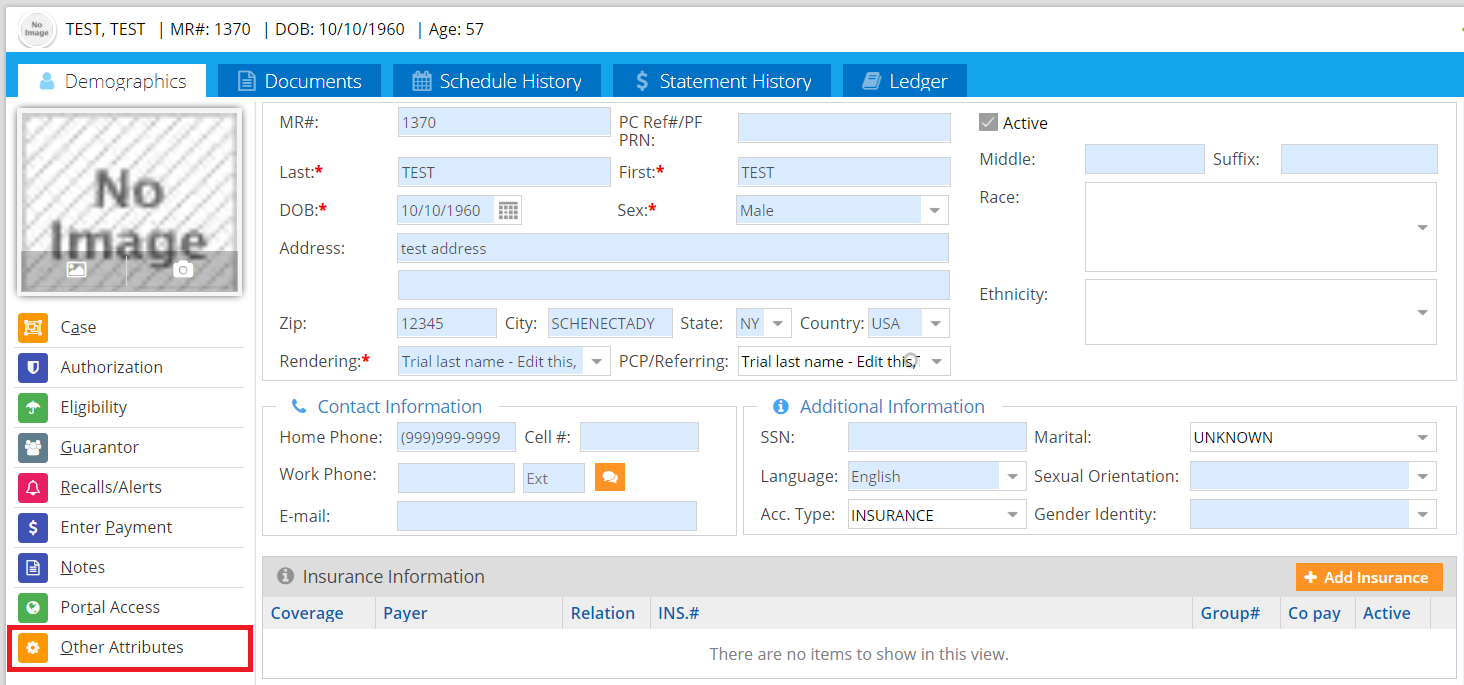
2. The Other Attributes page opens up, as shown in Image 2.

3. Select the appropriate Referral Source from the Source field list and then click on Save.