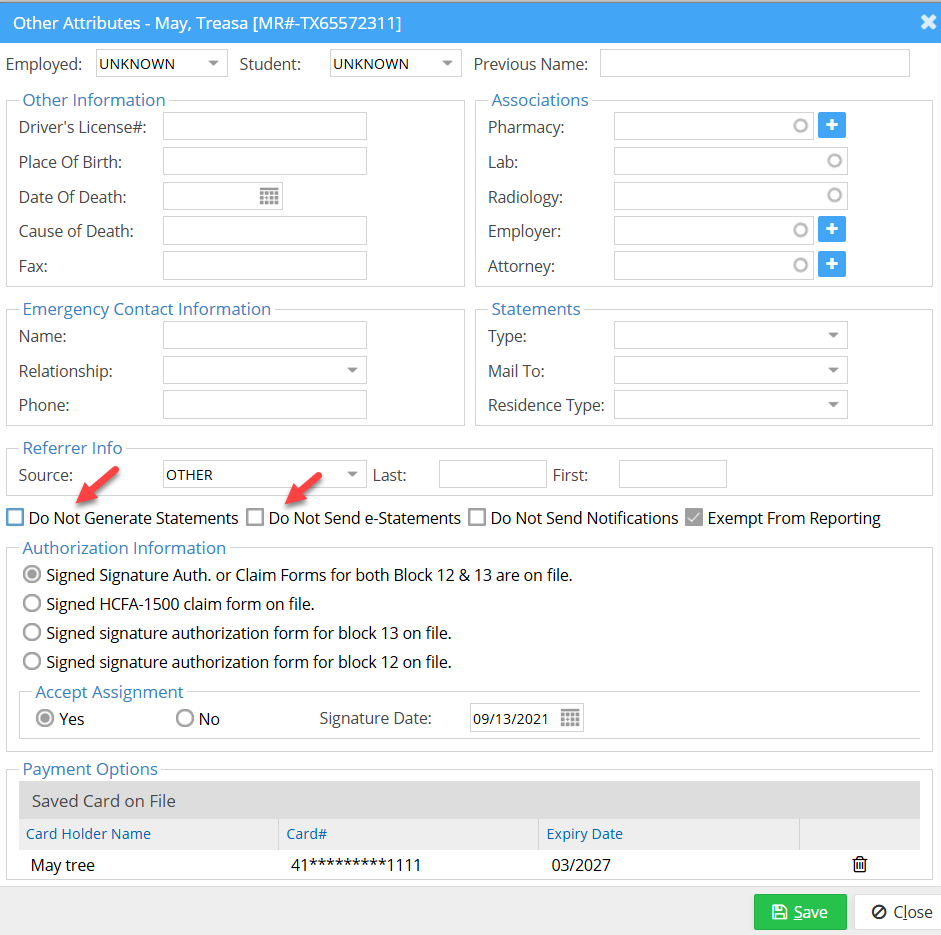
Go to Patient Demographics → Other Attributes.
This screen allows you to configure the following statement and notification settings:
- Statement Generation: Enable or disable statement generation for this patient (highlighted in the image).
- E-Statement Notifications: Control whether the patient receives notifications when e-statements are sent (highlighted in the image).
- Appointment Reminders: Exempt the patient from appointment reminders and other notifications.
- Report Exclusion: Exclude the patient from reports.