Description
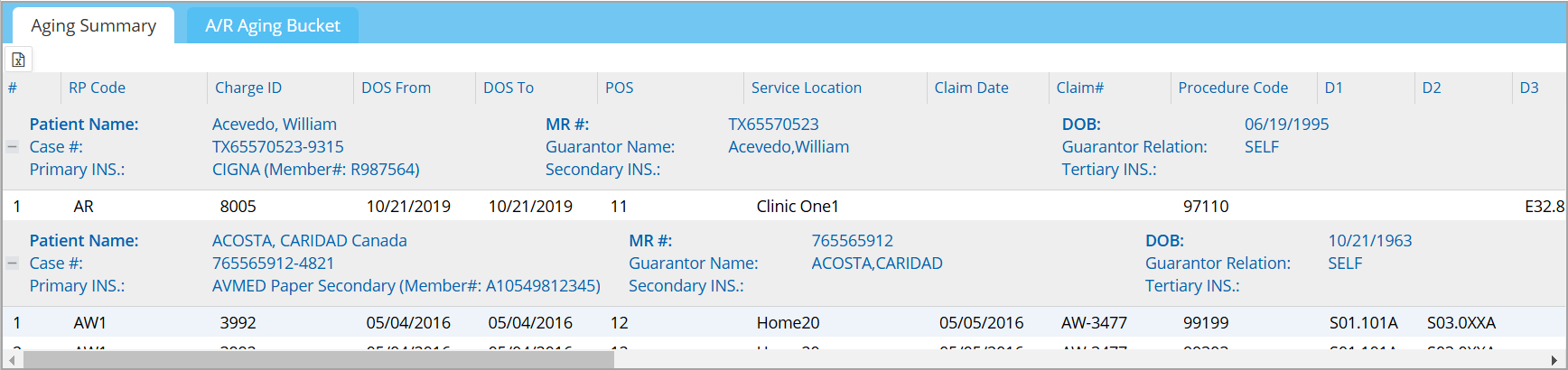
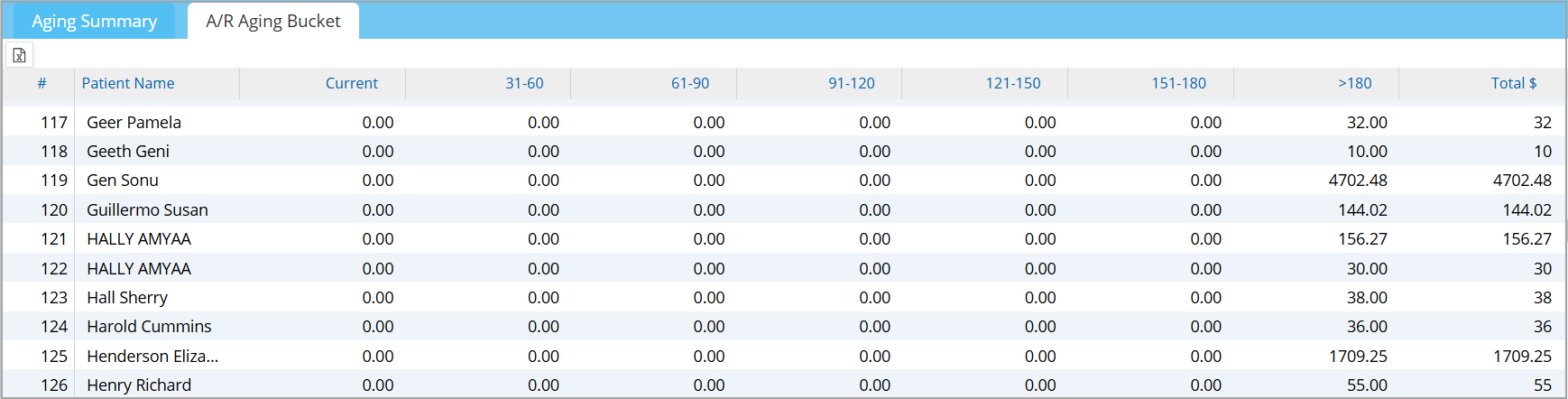
The D16 report is a detailed patient aging report containing patient and encounter information.
Significance
1. Offline reporting Feature included.
2. Direct Export to Excel is available in this report. Users without having to wait for the report to load and paint to the screen can use this to extract the aging data to an Excel file.
3. Patient aging is calculated based on the date the line was moved to patient responsibility.
Search Filters for the D16 Report
| Field | Description |
| Patient | Provide a patient name to generate the report for a specific patient |
| Legal Entity | To generate the report for patients in a specific legal entity |
| Provider | To generate the report for a specific provider |
| Aging Bucket | If only a specific bucket is to be viewed, select it from the list. Select ALL to view all buckets |
| Patient Account Type | To view results for a specific account type. If none is selected, the report will be generated for all account types |
| Case Type | To generate the report for a specific case type. If none is selected, the report will show all account types |
| Statement Count | Provide the statement count range |
Search Screen for the D16 Report

Report Direct Download/View Options of D16 Report
| Option | Description |
| View | To view the report |
| Download Excel | Direct Excel options are provided for: – Aging Summary Report’ – A/R Aging Bucket Report |
| Run Offline | Offline report can be generated for: -Aging Summary Report’ -A/R Aging Bucket Report |
Aging Summary Report
A/R Aging Bucket
Possible Outputs of D16 Report
| Output | Download and View Sample |
| Aging Summary Report Excel |  |
| A/R Aging Bucket Excel | |
| Aging Summary Offline Report |  |
| A/R Aging Bucket Offline Report | |