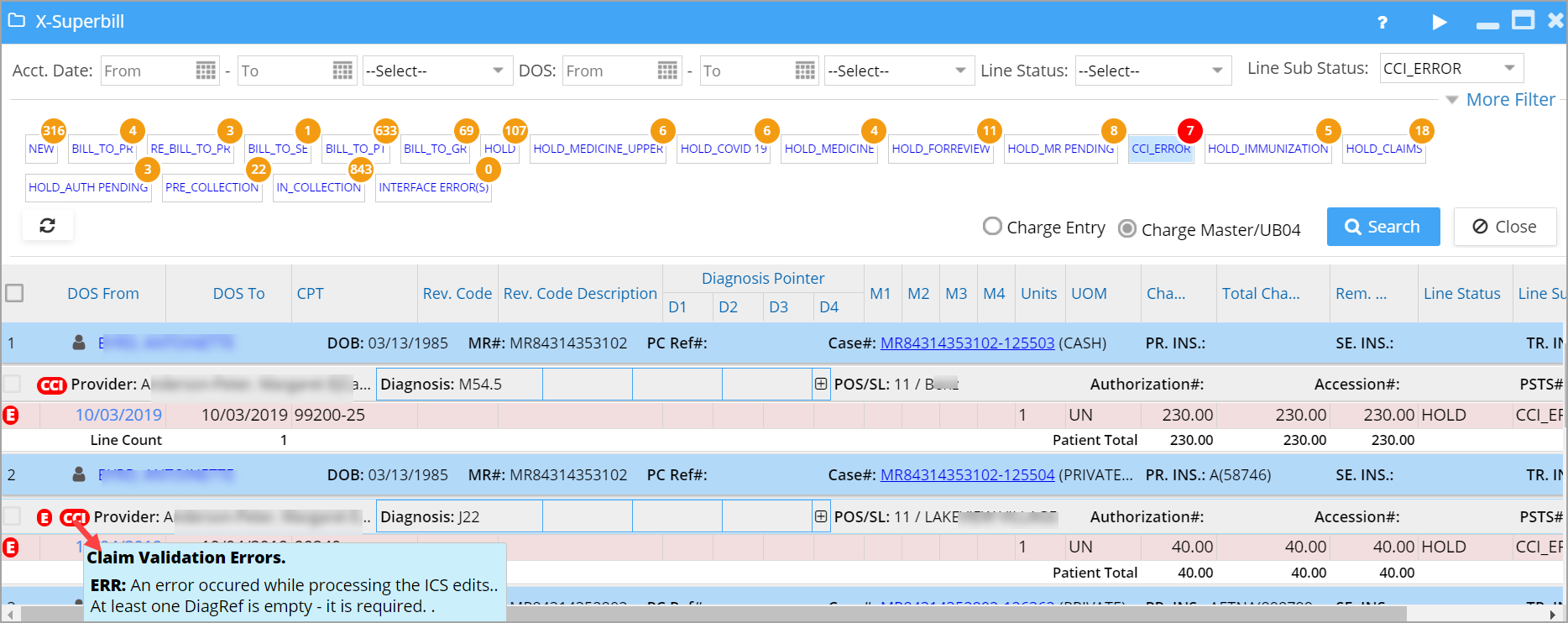
Practice Management System in association with CMS Pricer has the real-time CCI edits claims scrubbing feature implemented.
Screens where CCI Validation is Currently Available
A. Charge Entry B. Charge Master (Edit Charges) C. Claims Workbench. D. XSuperbill
How to Set Up CCI Validation with CMS Pricer
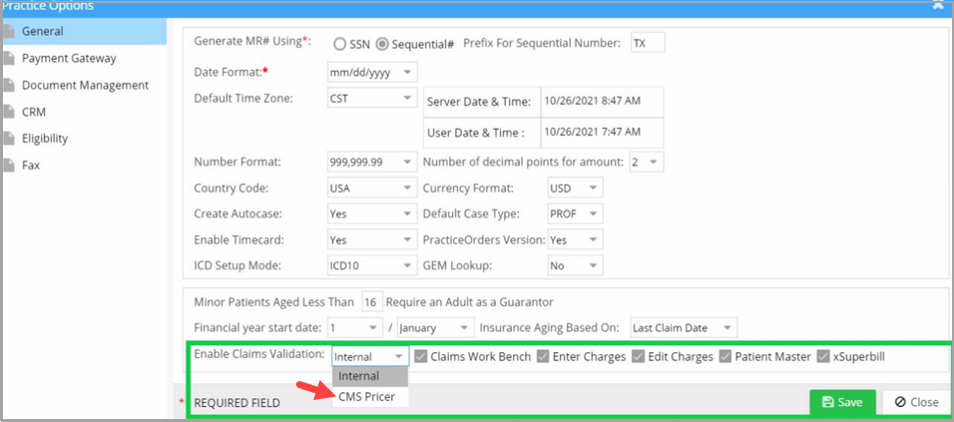
Setup is done from the Practice Options page (see highlighted portion in Image 1). Our internal team will enable the CCI edit option for the accounts.
CCI Validation from Charge Master and Charge Entry
The workflow to run the claims validation rule from both the Charge Entry and Charge Master screens will remain the same. The only difference is that if claims validation with CMS Pricer is enabled for the practice, the system will validate claims using both the internal and CCI rules. CE and CM screens will show the errors from CMS Pricer, followed by internal validation errors. The same holds true for XSuperbill screen.
CCI Error Bucket in Claim Workbench
Practice Management System has a new bucket built in Claims Workbench to include all the encounters which has validation errors at the time of claim generation. This bucket is only available to the accounts that have CMS Pricer enabled.
Workflow
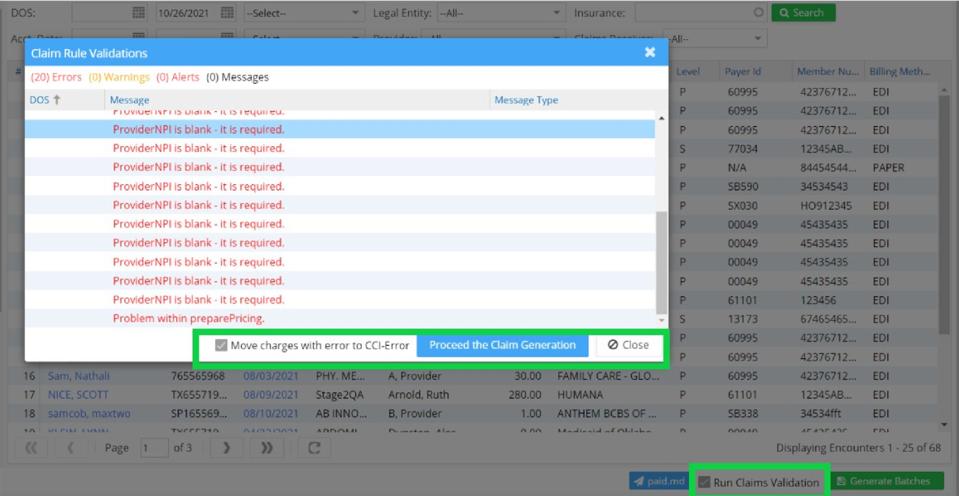
While generating the claims from Ready to Submit Bucket, when the user checks Run Claim Validation checkbox, a Claim Rule validation pop-up appears with Errors, Warnings, and Messages of the encounters submitted; see Image 2.
| Action | Checkbox Status | Result (Encounters with Errors) | Result (Other Encounters) | System Update |
| Click Proceed the Claim Generation |  Move Charges with Error to CCI-Error is checked Move Charges with Error to CCI-Error is checked |
Moved to CCI Error Bucket | Generated as claims | Line Status → HOLD. Line Sub Status → CCI Error |
| Click Proceed the Claim Generation |  Move Charges with Error to CCI-Error is unchecked Move Charges with Error to CCI-Error is unchecked |
Generated as claims (not moved to CCI Error Bucket) | Generated as claims | All claims will have the Claim_SENT_TO status |
CCI Validation in XSuperbill
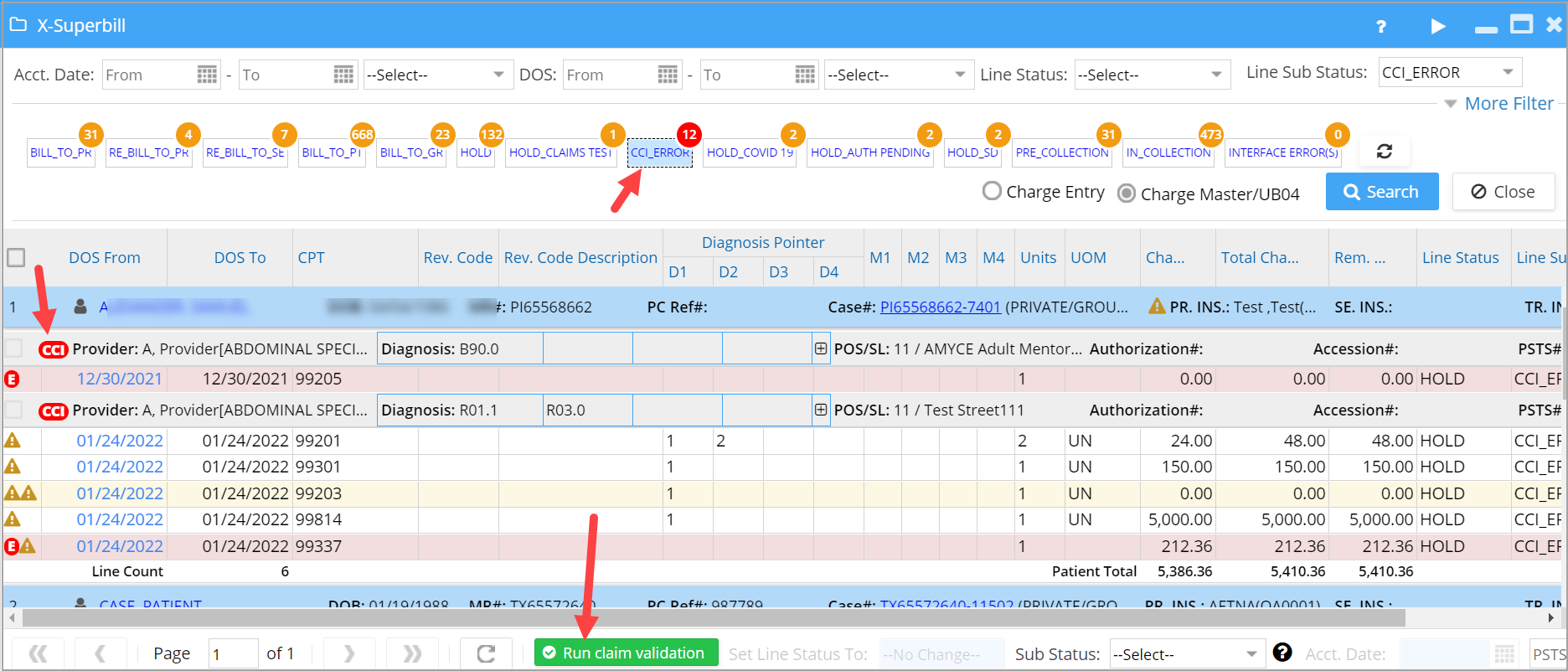
Users can select the claims and hit Run Claim Validation option, and any claims that have errors are moved to the CCI_ERROR list. Note that the errored count is displayed in red to quickly locate the errored claims. Please see Image 3.
A. On the validation pop-up screen, click on the Move Error Charges to CCI-Error Bucket to move all charges with error, to the CCI_ERROR list in Claims Workbench (Submit Claims); see Image 4.

B. Click on the CCI_ERROR bucket to list the validated claims with errors. The  provider name in the charge listing will show the errors on mouseover (refer to Image 5).