Patient Labels
Practice Management System facilitates the generation of demographic labels and Avery 5160 Lab (Adhesive type) labels. To create the labels, follow the steps below.
Generating Patient Labels
1. Select Patient from the main menu. The Patient Search screen opens up. Search for a patient by typing in either the patient’s last name, first name, MR#, or the PCRef#.
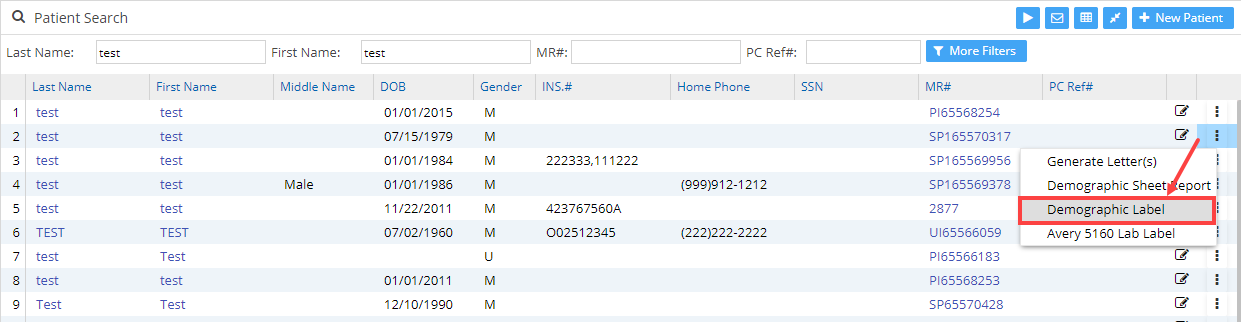
2. In the patient list, click on  menu on the line of the required patient.
3a. To generate the demographic label, select the option as highlighted in Image 1.
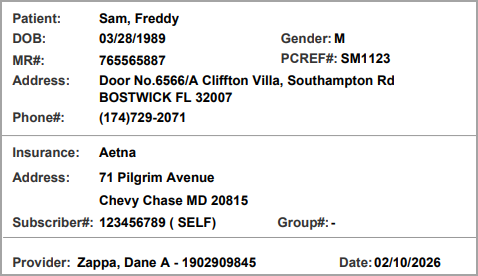
3b. Image 2 displays a sample demographic label.
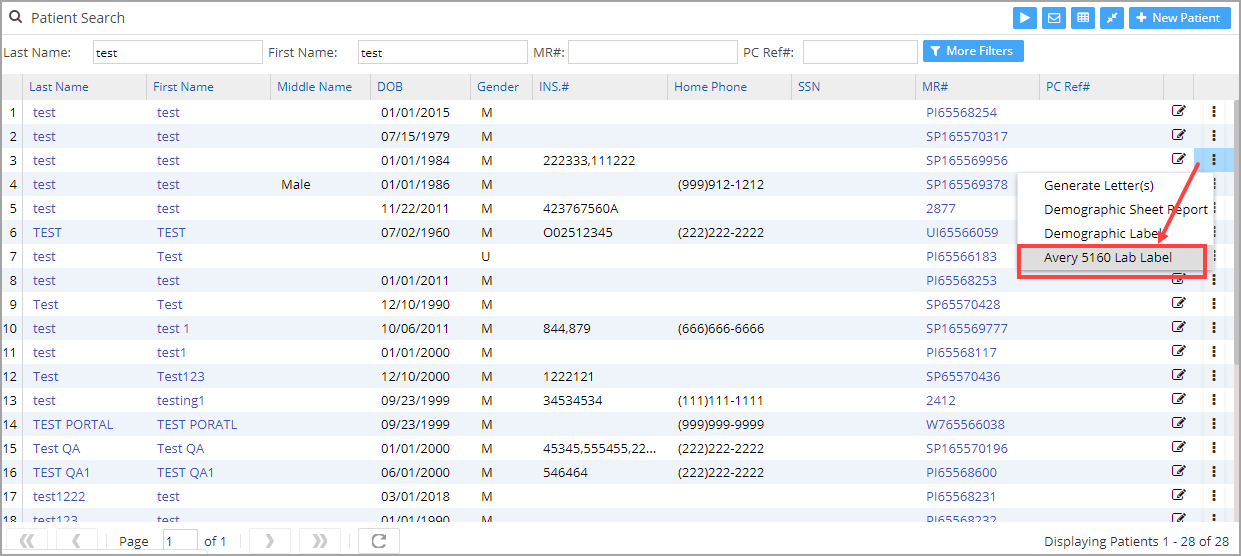
4a. To generate Avery 5160 labels, select the option as highlighted in Image 3.
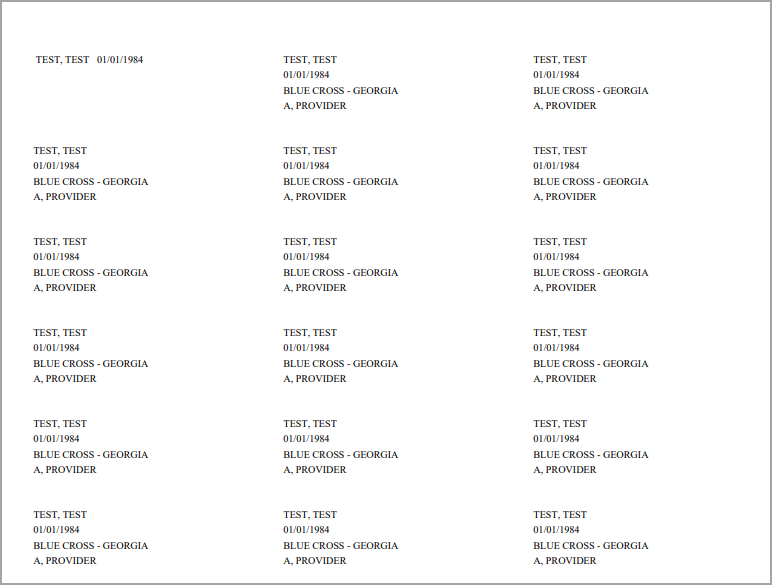
4b. The Avery 5160 type lab labels of the selected patient are displayed as shown in Image 4.
Note:
1. In order to obtain a mailing address list of all patients in the list in the Avery 5160 format, click on  , visible on the top right of the Patient search screen.
2. In order to obtain normal mailing address list, click on  , available at the top right of the Patient search screen.